
Self-Service Technology That Enhances Every Interaction
Make a strong first impression in your corporate lobby with a virtual kiosk or virtual receptionist solution from Ford AV. We design and integrate interactive kiosk systems that greet visitors, guide guests, manage check-ins, and deliver a polished, professional experience — all without the need for dedicated front-desk staff.
Whether you need a sleek touchscreen display, a platform-based virtual receptionist powered by Zoom, or a full visitor management system with wayfinding, Ford AV delivers the right solution for your facility.
What Is A Virtual Kiosk / Virtual Receptionist?
A virtual kiosk — also commonly referred to as a virtual receptionist — is an interactive digital display station placed in a lobby, entrance, or common area to greet and assist visitors. Rather than requiring a staffed reception desk, a virtual kiosk handles key front-of-house functions automatically and professionally.
Virtual kiosks and virtual receptionists typically include:
- Touchscreen displays for intuitive guest interaction
- Video conferencing capabilities to connect visitors with remote staff
- Visitor check-in and badge printing through visitor management software
- Wayfinding tools to help guests navigate to their destination
- Cloud-managed content and AI-assisted visitor engagement
Ford AV partners with industry-leading hardware manufacturers and software platforms to build virtual receptionist systems tailored to corporate offices, healthcare facilities, educational campuses, and other professional environments.
Featured Hardware & Platforms
Ford AV integrates with a wide range of virtual kiosk hardware and platforms. Here are some of the solutions we commonly specify and install.
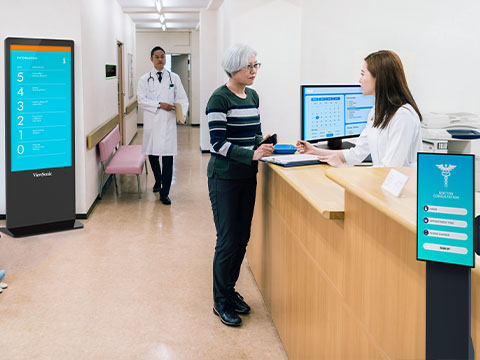
ViewSonic Kiosk Displays
ViewSonic offers a robust lineup of commercial-grade kiosk displays designed for lobbies and reception areas. These purpose-built interactive displays combine durable hardware with built-in content management, making them a popular choice for corporate virtual receptionist deployments.
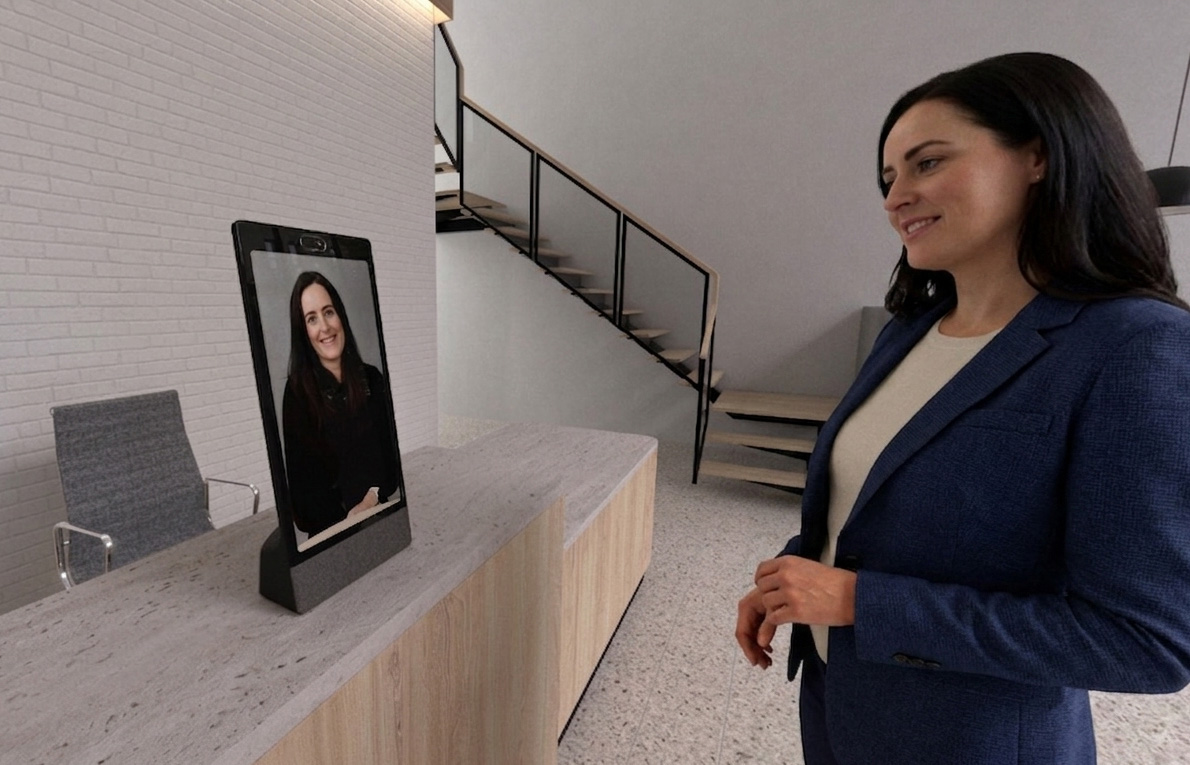
Neat Frame
The Neat Frame is a portrait-mode video device purpose-built for Microsoft Teams and Zoom, making it an ideal virtual receptionist solution for modern corporate lobbies. Its clean design and intuitive interface allow front-desk visitors to connect instantly with remote staff or hosts.
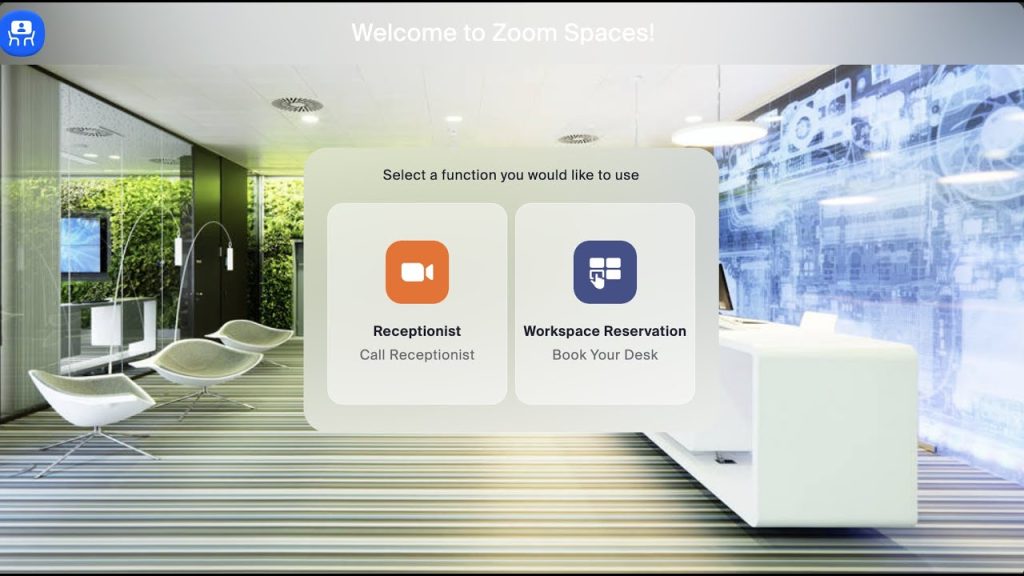
Zoom Kiosks
Zoom Kiosks bring the simplicity of Zoom video calling to a purpose-built lobby device. Visitors can walk up and immediately connect with a remote receptionist, an employee, or a support team — no login or account required. Zoom Kiosks are fully cloud-managed and increasingly AI-assisted.
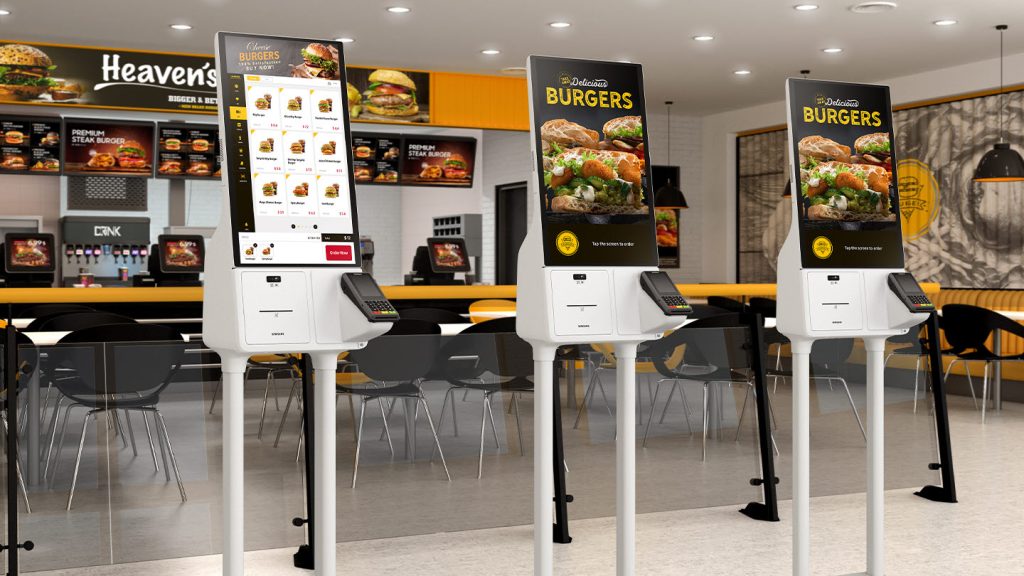
Samsung Kiosk
The Samsung Kiosk is a commercial-grade self-service display designed for modern check-in, ordering, and visitor management experiences. Its sleek all-in-one touchscreen design supports interactive workflows in corporate lobbies, healthcare facilities, retail spaces, and other high-traffic environments.
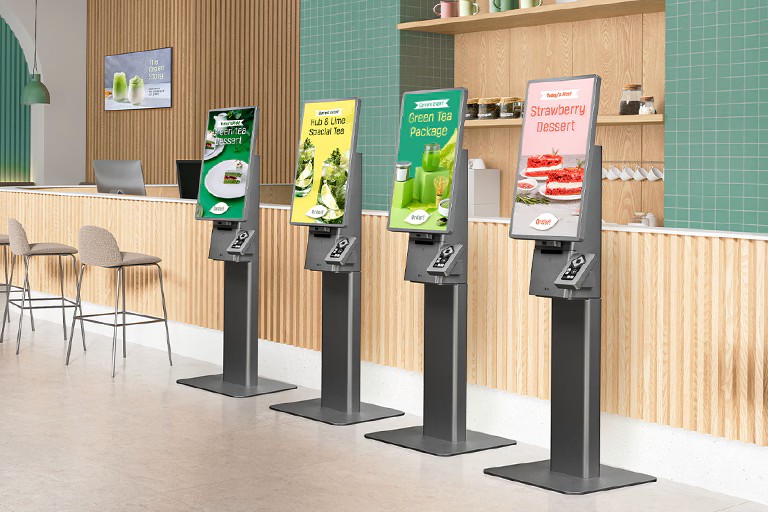
LG Kiosks
The LG Kiosk is a modular self-service display designed for interactive check-in and customer engagement. It supports portrait or landscape use and integrates peripherals like scanners, printers, and payment systems for scalable deployments in corporate, retail and public environments.
Note: Ford AV integrates many other hardware platforms and manufacturer partners beyond those listed here. These are representative examples of commonly specified products.
Visitor Management Software
A virtual receptionist experience is often powered by visitor management software that handles check-ins, host notifications, badge printing, and compliance documentation. One of the most popular approaches is pairing a dedicated software platform with a tablet-based kiosk.
Envoy Visitors
Envoy is a leading visitor management platform used by thousands of organizations to create a seamless lobby check-in experience. With Envoy, companies can place an iPad in their lobby and immediately offer visitors a self-service check-in workflow — no hardware-intensive build-out required.
Features include host notifications, ID scanning, NDA signing, and visitor logging.
Appspace
Appspace is a workplace experience platform with a built-in visitor management solution that modernizes lobby check-in and enhances front desk operations.
It enables self-service visitor check-in via kiosks or digital displays, supporting pre-registration, host notifications, badge printing, ID capture, NDA signing, and compliance screening. As part of the broader Appspace platform, it also connects visitor workflows with employee communications and workplace tools for a more unified experience.
Ford AV can advise on and support the integration of visitor management software with your lobby AV infrastructure, including display systems, access control, and building directory solutions.
Wayfinding Kiosks
Wayfinding is a specialized category of virtual kiosk that helps visitors and employees navigate to their destination within a facility. Rather than simply greeting guests, a wayfinding kiosk provides interactive maps, room directories, and turn-by-turn guidance through complex spaces like corporate campuses, healthcare facilities, and government buildings.
22Miles Wayfinding
22Miles is a leading provider of digital wayfinding solutions and a platform Ford AV commonly partners with for enterprise wayfinding deployments. Their platform supports interactive maps, real-time room booking data, multi-floor navigation, and ADA-accessible interfaces.
Common wayfinding use cases include:
- Corporate campuses guiding employees and visitors to departments
- Healthcare facilities helping patients navigate to their appointment
- Government and education buildings with complex multi-wing layouts
- Hotels and convention centers directing guests to meeting spaces or amenities
Virtual Kiosks for Every Industry
Key Features of Ford AV Virtual Kiosks
Wayfinding Kiosks
Wayfinding kiosks provide clear, interactive navigation for visitors in complex facilities. Ford AV partners with platforms like 22Miles to deploy interactive maps, room directories, and turn-by-turn guidance across corporate campuses, healthcare facilities, and more.
- Interactive maps help visitors quickly find rooms, departments, or event spaces
- Real-time directories provide up-to-date locations, schedules, and announcements
- Searchable information allows users to access services and facility details instantly
Cloud Managed
Modern virtual kiosk and virtual receptionist systems are fully cloud-managed, allowing IT and facilities teams to update content, push configuration changes, and monitor device health from a central dashboard.
- Push content updates across all kiosks from a single web-based platform
- Monitor uptime, usage analytics, and device status remotely
- Schedule content changes for different times of day or events
- Manage kiosks across multiple facilities or geographic locations from one place
AI-Assisted
Today’s virtual receptionist solutions increasingly leverage artificial intelligence to create smarter, more personalized visitor interactions.
- AI-powered chatbot interfaces guide visitors to the right person or resource
- Intelligent visitor routing based on appointment data or check-in responses
- Predictive analytics to identify peak traffic times and adjust staffing or kiosk placement
- Integration with AI-enabled platforms like Zoom Kiosks for automated host notifications
Customizable Touch Interfaces
Ford AV designs virtual kiosk interfaces that are fully customized to your brand, your audience, and your operational workflows. From the moment a guest touches the screen, the experience should feel intentional — clear, on-brand, and easy to use.
- Interactive menus and navigation tailored to your facility layout and visitor journey
- Brand-matched design including your logo, color palette, typography, and tone of voice
- Multi-language support for international visitors and diverse workforces
- Configurable content layouts for videos, graphics, and real-time data feeds
- Role-based content modes — different interfaces for guests, employees, or deliveries
Integrated AV Systems
Ford AV specifies and integrates commercial-grade displays and professional audio systems that are built to perform in high-traffic lobby environments. Whether your kiosk needs to display wayfinding maps, play video, or display welcome content, the AV makes a difference.
- Commercial-grade, high-resolution displays purpose-built for continuous operation
- Professional audio with built-in or externally integrated speakers for clear audio
- Video and animation playback capabilities for immersive welcome content
- Integrated camera and microphone systems for a video-call-enabled virtual receptionist
- Display sizing options from compact countertop units to full floor-standing kiosks
Connectivity & Control
Ford AV designs kiosk deployments with connectivity and centralized control at the core, ensuring that every device across every location stays current, monitored, and fully operational — all from a single platform.
- Cloud-managed content updates pushed remotely to one or many kiosks simultaneously
- Centralized monitoring dashboard for device connectivity status and analytics
- Integration with building systems including access control, bookings, and directories
- Compatibility with event scheduling software to display real-time room availability
- Secure network configuration with VLAN segmentation and IT-friendly deployments
Accessibility & User-Friendly Design
A virtual receptionist should welcome every visitor — regardless of ability, language, or familiarity with technology. Ford AV designs kiosk solutions with accessibility as a foundational requirement, not an afterthought.
- ADA-compliant hardware mounting heights and reach ranges for universal access
- High-contrast display modes and text scaling options for visitors with low vision
- Touchless interaction options — Voice commands, proximity detection, etc.
- Simplified UI that requires no prior experience or technical knowledge to navigate
- Multilingual interface support to accommodate diverse visitor populations
Featured Virtual Kiosk Projects
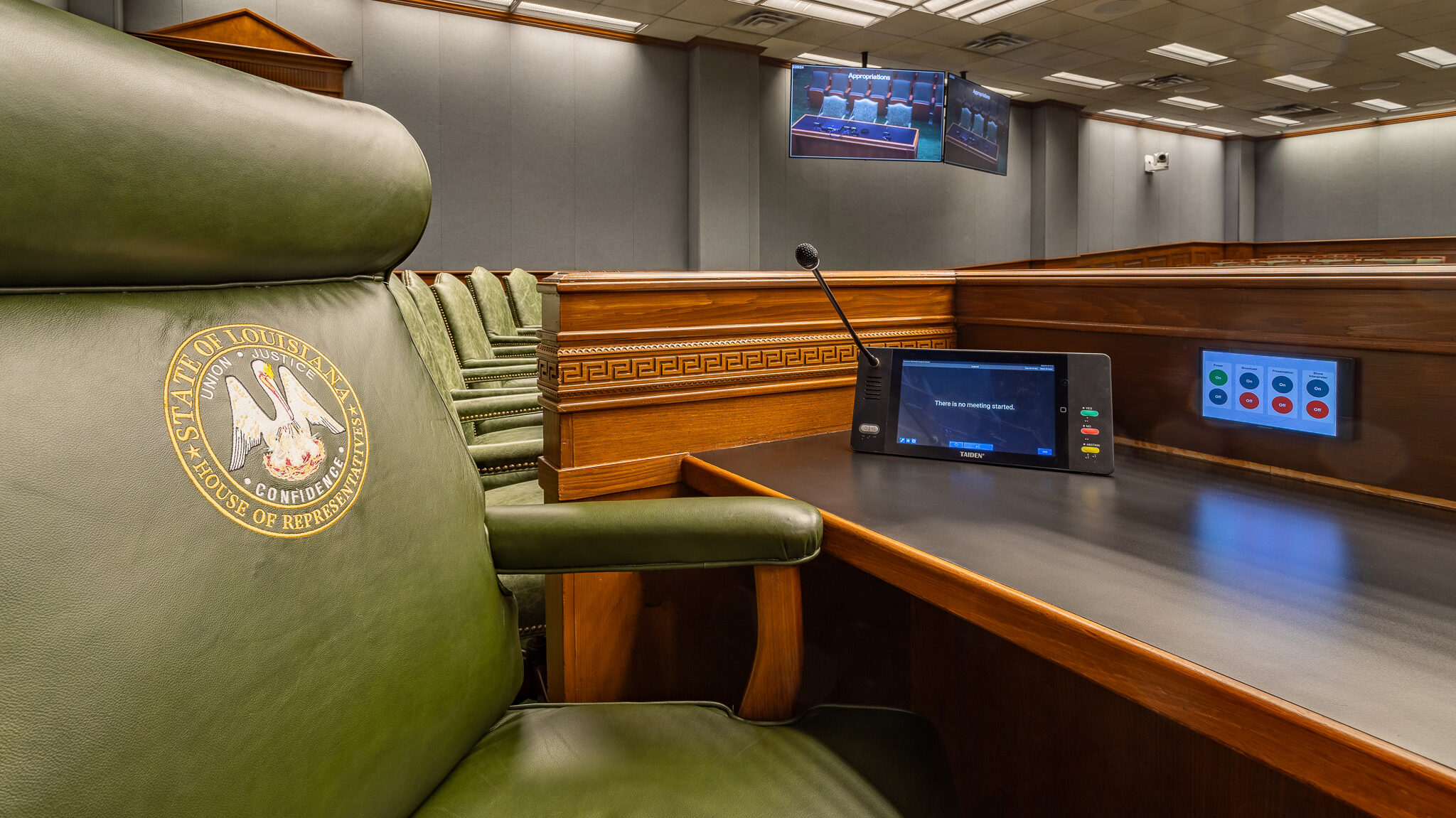
Louisiana State Legislature
Ford AV integrated interactive kiosks and touchscreen voting stations to streamline legislative sessions, enhance accessibility, and provide delegates with real-time information at every seat…Read more
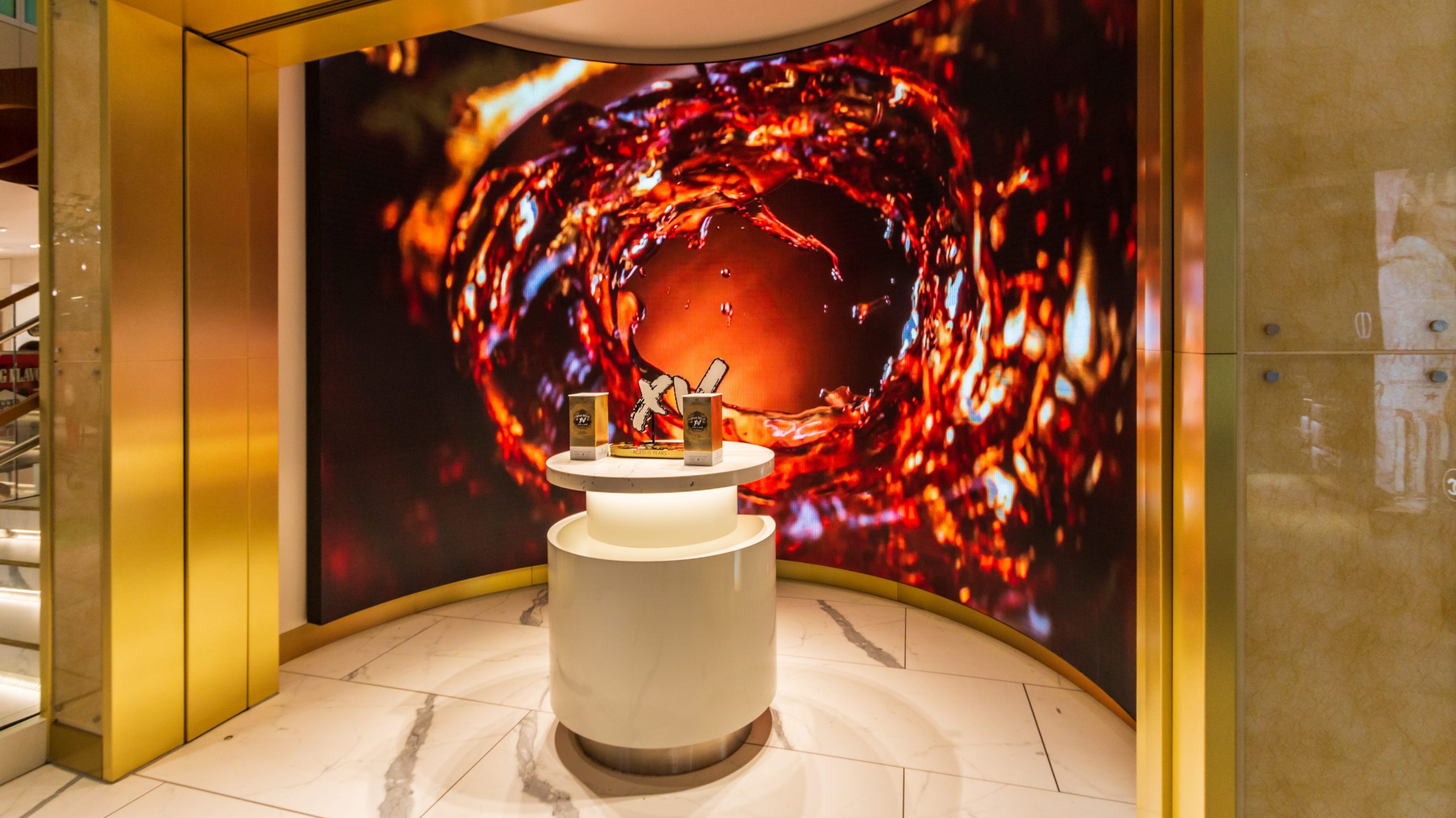
DFW International Airport
Ford AV installed interactive kiosks and touchscreen displays in the DFW Airport Duty Free Store to guide travelers, showcase products, and boost customer engagement…Read more

Coca-Cola Store
Ford AV installed interactive kiosks and digital signage in the Coca‑Cola Store at Disney Springs to guide guests, enhance the retail experience, and simplify guest interactions…Read more
Ford AV Locations
Benefits of Virtual Kiosks

Improved Visitor Engagement
Provide interactive content, videos, and announcements to keep visitors informed and engaged.

Self-Service Convenience
Enable guests to access information, directions, or services quickly, reducing wait times and staffing needs.

Data Collection & Analytics
Track visitor interactions and usage patterns to improve services and identify trends.
Frequently Asked Questions
How do I manage content remotely across multiple kiosks?
What is the difference between a virtual kiosk and a virtual receptionist?
Can a virtual receptionist connect visitors to remote staff via video?
What hardware and software are required to run a virtual kiosk?
How do interactive digital signage and kiosks enhance visitor experiences?
Why Choose Ford AV for Virtual Kiosk Solutions
Ford AV designs and integrates touchscreen kiosk solutions that help organizations deliver information, streamline services, and create engaging digital experiences for visitors.
Partner with America’s Leading AV Technology Company
50+ Years of Experience – Decades of experience designing and integrating professional AV systems for corporate, education, government, and healthcare facilities.
Nationwide Production Services – Local teams backed by a national network provide design, installation, programming, calibration, and long-term support.
End-to-End Solutions – From hardware selection and software configuration to installation and support, we provide complete kiosk solutions.
Scalable & Flexible – Kiosks can be deployed across single or multiple locations, fully integrated into your facility’s AV ecosystem.
Reliable Support – Nationwide service teams ensure your kiosks operate seamlessly over time, with ongoing maintenance and updates.
Ready to Upgrade Your Visitor Experience with Interactive Virtual Kiosks?