
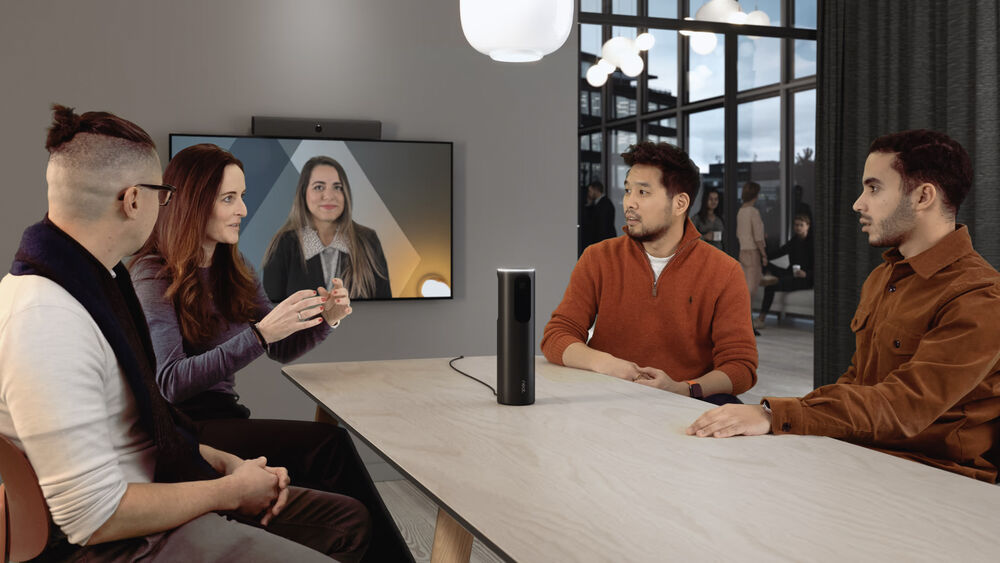
A remote employee joins a video conferencing call. Six colleagues gather around the conference table, but the front camera only catches the two people closest to it. Everyone else is a voice from offscreen. When the discussion picks up between two people on opposite sides of the table, the remote participant gives up trying to read body language and waits for the meeting notes.
This is the everyday reality of hybrid meetings built around traditional front-of-room cameras. It is why 360 conference cameras are a focal point of rebuilding meeting spaces. By capturing the entire room from a center-of-table or ceiling position, these systems give remote participants the same situational awareness as people in the room.
What a 360 Conference Camera Actually Does
A 360-degree meeting room camera uses multiple lenses, or a single fisheye lens with software for de-warping, to capture a full panoramic view of a conference room. Most systems apply computer vision and audio source localization to identify who is speaking. Then, it automatically frames that person in a separate video tile and sends a composite feed to Microsoft Teams, Zoom, Google Meet, or any other meeting platform.
The result on the remote participant’s screen is usually one of two views. The first is a panoramic strip across the top of the screen showing the whole room, with individual speaker tiles below. The second is a dynamic gallery where in-room participants get their own framed tile, similar to how remote attendees appear. With both formats, every person in the room becomes visible, identifiable, and easy to follow.
360 Camera vs. PTZ: Which Is Right for Your Room?
A 360-degree conference camera is the right choice when the room is configured around a central table where conversation flows in multiple directions, when meetings are discussion-heavy rather than presentation-heavy, and when remote participants need to follow group dynamics rather than a presenter. These cameras work best in small to medium rooms, roughly 20 by 30 feet, depending on the system. They are for collaborative work, not broadcast-style delivery.
A PTZ camera is better when the room is built for presentations, training, or town halls with a clear front. PTZ systems offer long-throw zoom to capture a presenter at a distance, and they deliver production-quality framing. In large rooms where a center-of-table view would lose detail, a well-positioned PTZ often produces a better remote experience.
A growing number of rooms benefit from both. When a space serves multiple meeting types, deploying a 360 camera for participant coverage alongside a PTZ for presenter framing gives the conferencing platform the flexibility to switch views based on what is happening in the room. Microsoft Teams Rooms and Zoom Rooms both support multi-camera configurations.
Features That Matter When Comparing 360 Conference Cameras
Speaker tracking accuracy is the feature most likely to make or break the user experience. Some systems rely on visual cues such as lip movement and face detection. Others fuse audio source localization with computer vision to identify the speaker. The fused approach handles overlapping speakers and side conversations more reliably. If your meetings involve frequent back-and-forth, this matters a lot.
Microphone integration is a major factor. Some 360 cameras include built-in microphone arrays. Others assume you will pair them with ceiling mics or a DSP-driven audio system. For rooms larger than a small huddle space, a dedicated ceiling microphone array almost always produces better results than built-in mics, regardless of how good the camera audio claims to be.
Platform certification matters more than many buyers realize. If your organization uses Microsoft Teams Rooms or Zoom Rooms, only consider cameras certified for that platform. Certification means the device has been tested against the platform’s video and audio pipeline and will receive firmware support as the platform evolves. Uncertified devices often work on day one and then degrade as the platform updates around them.
360 Conference Cameras Worth Evaluating
Logitech Sight and Rally Bar
Logitech Sight is a companion device to the Rally Bar and Rally Bar Mini, designed to sit on the conference table and provide AI-driven participant framing. Sight uses two cameras and a beamforming microphone array to identify the best angle on each speaker. It is one of the strongest options for organizations standardized on Microsoft Teams Rooms or Zoom Rooms.
Owl Labs Meeting Owl 3 and Owl Bar
The Owl 3 helped popularize the 360-camera and is one of the most recognizable products. It is a tabletop device with a 360-degree fisheye lens, an eight-microphone array, and onboard processing that frames the active speaker. The newer Owl Bar pairs a soundbar form factor with a separate 360 puck, combining front-of-room and table coverage.
Jabra PanaCast 50 and PanaCast 50 VBS
The PanaCast 50 is a 180-degree panoramic conference camera with three 13-megapixel sensors stitched into a single field of view. It is a strong choice for huddle rooms and small conference rooms where the camera can be mounted on a display or wall at the front of the room. The device includes intelligent zoom, virtual director functionality, and dynamic composition that creates separate tiles for participants.
Poly Studio E360
The Studio E360 is a true 360-degree ceiling-mounted camera designed for medium and large rooms where a center-of-table device is not practical or aesthetically acceptable. Four 4K sensors capture the room from overhead, and Poly’s AI engine handles speaker tracking, framing, and composition.
Huddly Crew
Instead of one camera capturing the room, Huddly Crew uses multiple Huddly cameras placed around the space, with an AI director that decides in real time which camera should be active. This creates a broadcast-style experience where each participant is framed head-on rather than from a single overhead or tabletop angle.
Neat Center
Neat Center is a tabletop 360-degree camera and microphone array designed to complement Neat Bar and Neat Bar Pro. It works alongside a front-of-room device rather than replacing it. Neat’s industrial design and integration with Zoom Rooms make it a popular choice for organizations standardized on Zoom.
How 360 Conference Cameras Improve Remote Collaboration in Practice
A well-designed deployment changes meeting behavior in measurable ways. Remote participants speak up more often because they can read the room. In-room participants stop unconsciously dominating because the camera gives equal visual weight to everyone. Recordings become more useful for people who could not attend live.
The camera is one component of a system that also includes microphones, displays, lighting, acoustic treatment, network configuration, and platform setup. A 360-camera installed in a poorly tuned room will expose every audio problem the room has. This is where integration expertise matters, and it is also why so many organizations bring in a partner after their first DIY deployment falls short of expectations.
Ford AV designs and integrates video conferencing systems for corporate, higher education, healthcare, and government clients across the country. We are vendor-agnostic, meaning we will recommend the product that fits your room and your platform.
Display Frequently Asked Questions
What features should organizations evaluate when selecting a 360-degree camera?
Image resolution, microphone pickup range, AI auto-framing, speaker tracking accuracy, low-light performance, platform certification (Teams Rooms, Zoom Rooms, Google Meet), USB or network connectivity, and compatibility with existing room control and conferencing systems.
What is the difference between a 360-degree camera and a traditional PTZ camera?
A 360 camera provides panoramic room coverage with minimal movement, capturing all participants. A PTZ camera physically repositions and zooms to focus on a single speaker or area.
What audio considerations are important when deploying a 360-degree conference camera?
Audio quality matters more than video quality in most hybrid meetings. Evaluate microphone pickup patterns, echo cancellation, background noise reduction, and room acoustics. For rooms larger than a small huddle space, a ceiling microphone array typically outperforms built-in camera audio.
Why would I need a 360-degree conference camera?
A 360-degree conference camera makes hybrid meetings more inclusive by capturing every person in the room. Remote participants can see expressions, identify speakers, and follow conversations. The result is better engagement, fewer communication gaps, and productive meetings.
Partner with a Trusted Commercial Display Integration Expert
- Enterprise 360 Conference Cameras Integration – Ford AV designs and integrates hybrid meeting room technology for corporate, higher education, healthcare, and government clients nationwide.
- Proven Hybrid Collaboration Expertise – Supporting conference rooms, huddle spaces, boardrooms, and training facilities with certified Microsoft Teams Rooms and Zoom Rooms deployments.
- Vendor-Agnostic Camera and Platform Selection – Ford AV evaluates manufacturers to recommend the right product for your room, your platform, and your budget.
- Scalable Video Conferencing Systems – From a single conference room to multi-site rollouts across hundreds of locations, Ford AV builds standardized AV systems that simplify deployment, support, and long-term management.
- Trusted by Leading Organizations Nationwide – Fortune 500 companies, universities, hospitals, and government agencies trust Ford AV to deliver meeting room technology that hybrid teams will actually use.
Ready to Upgrade Your Conference Rooms or Standardize Your Meeting Spaces?